TEL:+86 132 6656 7067


Optical transceiver compatibility with a switch depends on more than whether a module fits the port. The switch must support the module's form factor, operating speed, electrical interface, and hardware or software requirements. The optical interfaces at both ends must also match the fiber type, wavelength, transmission distance, connector configuration, and link budget.
The most reliable verification process combines the switch manufacturer's compatibility matrix with a review of the complete optical link. A module may be mechanically compatible but unsupported by the switch, while two supported modules may still fail to communicate because their optical standards, FEC settings, or fiber connections differ.
1. Identify the Exact Switch Model and Port
Start with the full switch model, hardware revision where applicable, line card, port number, and network operating-system version. These details determine which transceivers the device supports and which port modes are available.
Do not rely on the product series name alone. Different models within a series can have different port speeds, cage types, breakout capabilities, power limits, and minimum software requirements.
| Information Required | Where to Find It | Why It Matters |
|---|---|---|
| Exact switch model | Device inventory, product label, or hardware status commands | Determines the applicable hardware compatibility documentation. |
| Port or line card | Hardware guide, chassis inventory, or interface information | Identifies the physical cage, port capability, and any line-card-specific restrictions. |
| Network operating system | Switch software version or system information | Some transceiver support and operating modes depend on a specific software release. |
| Port speed and mode | Port configuration, hardware guide, and interface specifications | Confirms the required operating rate, lane configuration, and breakout support. |
| Current module, if installed | Transceiver inventory or diagnostic output | Provides a reference for form factor, speed, wavelength, and module identification. |
For example, a switch with an SFP28 port may support specified 10G and 25G operating modes, but that does not guarantee support for every SFP or SFP28 transceiver. The exact hardware documentation must state which modules and operating modes are supported.
2. Check the Manufacturer's Transceiver Compatibility Matrix
The official compatibility matrix is the primary reference for confirming whether a transceiver is qualified for a specific switch model and software release. Search by the complete switch product ID or transceiver part number rather than by a general family name.
Use the appropriate vendor documentation:
Cisco: The Optics Compatibility Matrix identifies supported optics by device, transceiver part number, and software release. Cisco also provides an optical transceiver selection-tools overview.
Juniper Networks: Use the Hardware Compatibility Tool to check supported transceivers and their interface characteristics for the exact platform.
Other switch vendors: Consult the official hardware guide, supported transceiver list, compatibility database, and software release notes for the exact device.
Confirm the supported part number, data rate, form factor, fiber media, connector, maximum reach, temperature range, diagnostic monitoring support, and minimum software version where applicable. Save the relevant compatibility result with the network design or purchasing record.
3. Verify Form Factor, Data Rate, and Port Operating Mode
After confirming switch support, match the module's physical and electrical interface to the port. The form factor indicates the module family, but the form factor alone does not guarantee that the switch supports every speed or optical specification within that family.
| Module Family | Common Application | Switch Compatibility Check |
|---|---|---|
| SFP | Commonly 1G and other specifically supported interfaces | Verify the supported rate, module type, wavelength, and port configuration. |
| SFP+ | Commonly 10G Ethernet | Confirm 10G support and whether the port supports the selected module specification. |
| SFP28 | Commonly 25G Ethernet | Check 25G support, supported lower-rate modes if needed, and FEC requirements. |
| QSFP+ | Commonly 40G interfaces | Confirm the supported port mode, optical interface, and any permitted breakout configuration. |
| QSFP28 | Commonly 100G interfaces | Verify the exact 100G optical standard, port mode, and supported module specification. |
| QSFP-DD or OSFP | Higher-capacity interfaces such as supported 400G and 800G designs | Check platform generation, lane configuration, power envelope, cooling, and supported optics. |
These are general associations, not a universal compatibility list. Module generations and implementations differ, so the supported module and port operating mode must be confirmed for the exact switch.
Also check whether the port is configured for a native rate or a breakout arrangement. For example, a high-speed port may support specific lower-speed interfaces only when a documented breakout mode, cable assembly, and lane configuration are used.
4. Match the Optical Specifications at Both Ends
Once the switch can recognize the module, verify that the transceiver at the remote end supports a compatible optical interface. The two devices do not always need to use the same vendor's module, but their optical specifications must match for the intended connection.
| Optical Parameter | What to Compare | Typical Compatibility Issue |
|---|---|---|
| Ethernet or transport standard | Confirm the same supported interface or an explicitly interoperable optical standard. | Modules with the same nominal rate may use different optical architectures. |
| Data rate and lanes | Match aggregate speed, lane arrangement, and supported link mode. | The ports may fail to establish a link if their rates or lane configurations differ. |
| Wavelength | Compare transmit and receive wavelengths or assigned WDM channel. | Incompatible wavelengths may prevent the receiver from detecting the intended optical signal. |
| Fiber type | Confirm single-mode or multimode media and the supported fiber grade. | A module may not support the installed fiber type or required reach. |
| Connector | Match LC, MPO/MTP, or another specified connector interface. | A physical connector mismatch prevents proper connection; matching connectors alone does not guarantee optical compatibility. |
| Transmission distance | Verify that both modules support the actual fiber route and optical budget. | A module may be unsuitable for the route even when the data rate matches. |
| Transmit and receive direction | For BiDi links, verify complementary transmit and receive wavelengths. For duplex links, confirm the fiber connections. | Incorrect wavelength pairing or fiber routing can prevent communication. |
| Optical power limits | Compare transmit power, receiver sensitivity, maximum receiver input, and total path loss. | The received signal may be too weak or exceed the receiver's specified input range. |
For parallel-optics interfaces using MPO/MTP connectors, fiber count, connector gender, key orientation, polarity, and active fiber positions must also match the planned link. Check the mapping through the complete cable path, including patch cords, trunks, and any cassettes or adapters.
For WDM or DWDM links, verify both endpoint wavelengths and the installed multiplexer or demultiplexer channel plan. Two modules may operate at the same data rate yet be incompatible because they use different wavelengths or different optical standards.
5. Check the Optical Power Budget and Fiber Route
A compatible optical interface must also provide sufficient margin over the actual fiber path. The optical power budget is a useful first check, but it must be evaluated against the complete link specification.
Basic available optical budget (dB) = Minimum transmitter output power (dBm) − Receiver sensitivity (dBm)
For example, a module with a minimum transmit power of −4 dBm and receiver sensitivity of −10 dBm has a nominal available budget of 6 dB. The expected loss of the installed link must fit within that budget, with the required engineering margin.
| Link Parameter | Required Check | Why It Matters |
|---|---|---|
| Fiber distance | Use the actual routed length, not just the straight-line distance between buildings. | Reach limits depend on the optical standard and transmission conditions. |
| Connector and splice loss | Account for patch panels, adapters, splices, and all intermediate connections. | Additional loss reduces received optical power. |
| Multiplexer and demultiplexer loss | Include passive WDM component loss where applicable. | A WDM link may have less available margin than a direct fiber connection. |
| Receiver sensitivity | Confirm the receiver's specified minimum operating power. | Received power below the applicable limit can result in errors or a link failure. |
| Maximum receiver input | Check the upper optical input limit. | An excessively strong signal may exceed the receiver's operating range. |
| Engineering margin | Allow for uncertainty, future repairs, aging, and changes in the installed path. | Reduces the risk of a link operating too close to its limits. |
A sufficient power budget does not by itself guarantee interoperability. High-speed links may also depend on dispersion tolerance, signal quality, lane mapping, and forward error correction. The complete module specification and the applicable link standard remain the final reference.
6. Verify FEC, Breakout, Power, and Software Requirements
Some optical links require specific switch settings in addition to compatible hardware. Forward Error Correction (FEC), port speed, breakout configuration, and software support can affect whether the link comes up and remains stable.
| Setting or Requirement | How to Verify | Potential Effect of a Mismatch |
|---|---|---|
| FEC mode | Check the requirements of the optical standard and supported FEC modes at both endpoints. | A mismatch can prevent link establishment or cause errors. |
| Port speed | Verify the configured speed and supported negotiation behavior at both ends. | The link may remain down if the endpoints cannot establish a compatible mode. |
| Breakout configuration | Confirm the switch port mode, lane mapping, and required cable assembly. | The physical port may not present the expected number of logical interfaces. |
| Software version | Check the compatibility matrix for minimum releases and restrictions. | A module may be unsupported on an earlier software version or may lack required features. |
| Power and thermal limits | Compare module specifications with the port's power delivery and cooling requirements. | The host may reject the module or experience thermal issues. |
| DOM/DDM support | Check whether the module and host support digital optical monitoring. | Monitoring values may be unavailable even if optical traffic is working. |
FEC is especially important for many higher-speed Ethernet interfaces. Follow the required configuration rather than disabling FEC as a general troubleshooting measure. The correct behavior depends on the switch, interface standard, transceiver, and remote endpoint.
Third-party transceivers may use module identification or coding that affects whether a switch recognizes them. Check the vendor's policy and the supplier's qualification information before purchasing. A module being recognized is not proof that it is fully qualified, optically interoperable, or covered by the same support terms as vendor-qualified optics.
7. Confirm Compatibility on the Switch Before and After Installation
After verifying the documentation, use the switch's operational commands to inspect the installed module. Command syntax varies by operating system, software release, and interface type, so use the corresponding command reference for the exact device.
Example diagnostic commands Cisco IOS / IOS XE: show interfaces transceiver detail Cisco NX-OS: show interface ethernet/ transceiver details Juniper Junos: show interfaces diagnostics optics Use the command syntax documented for your exact platform and release.
Check the output for the expected vendor or module identification, part number, interface type, diagnostic support, and any warning that indicates an unsupported transceiver. If the switch does not recognize the module, compare the reported information against the approved module specification and compatibility matrix.
Inspect Diagnostic Measurements
Where digital optical monitoring is supported, review the available module measurements and alarms. The exact fields differ by transceiver and switch, but commonly include:
Temperature and voltage: Confirm values remain within the module's specified operating range.
Transmit optical power: Check that the transmitter is operating normally.
Receive optical power: Compare the measured value with receiver limits and the expected path loss.
Laser bias current: Check for abnormal operating conditions where the module exposes this value.
Alarm and warning flags: Investigate low-power, high-temperature, or other reported conditions.
Port and error status: Verify link state, FEC behavior, error counters, and stability over time.
Not all transceivers support every diagnostic field, and a displayed value is meaningful only when compared with the module's specification. Healthy receive power also does not rule out a FEC mismatch, incorrect speed configuration, or incompatible optical interface.
8. Troubleshoot a Switch Port That Will Not Establish a Link
If a compatible-looking transceiver is installed but the port remains down, investigate the problem in a controlled order. Avoid changing multiple settings simultaneously because that makes the cause harder to isolate.
| Observed Symptom | Checks to Perform | Likely Areas to Investigate |
|---|---|---|
| Module is not recognized | Inspect inventory output, part number, compatibility matrix, software version, and port support. | Unsupported module, coding policy, hardware restrictions, or software requirements. |
| Module is recognized but the port stays down | Verify both endpoint modules, fiber connections, port state, speed, and FEC settings. | Optical incompatibility, wrong configuration, polarity error, or physical connection issue. |
| Receive power is too low | Inspect connectors, fiber route, intermediate connections, wavelength pairing, and optical budget. | Excessive loss, disconnected fiber, incorrect wavelength, damaged cable, or failed transmitter. |
| Receive power is too high | Compare received power with the module's maximum input rating and inspect the link design. | Short, low-loss path or a high-power optical interface that needs an approved link solution. |
| Link comes up but errors increase | Review FEC mode, error counters, optical margins, fiber cleanliness, and interface logs. | FEC mismatch, poor signal quality, insufficient margin, or a physical-layer issue. |
| Intermittent link or temperature alarms | Check module temperature, host airflow, power conditions, and event logs. | Thermal restrictions, power problems, damaged hardware, or unsuitable environmental conditions. |
| One direction works but traffic fails | Verify both transmit and receive paths, complementary wavelengths for BiDi, and MPO polarity if applicable. | Incorrect fiber connection, wavelength pairing, or transmit-to-receive mapping. |
If a link remains unstable, test the two optical endpoints and fiber path with appropriate equipment. Where possible, compare the result with a known-supported module and a documented compatible configuration. Any replacement test should preserve the same interface requirements and remain within the switch's supported operating limits.
9. Third-Party Transceivers: What Must Be Confirmed?
A third-party transceiver may provide the required optical interface and be identified correctly by a switch, but compatibility should not be inferred from the connector shape or module coding alone. Qualification depends on the exact device, operating mode, optical standard, and support policy.
| Qualification Item | What to Request or Verify |
|---|---|
| Model-specific compatibility | Evidence that the exact transceiver model is qualified for the switch model, port, and relevant software release. |
| Optical specification | Datasheet covering rate, wavelength, fiber type, connector, reach, power limits, and environmental range. |
| Remote-end interoperability | Confirmation that the proposed module can communicate with the opposite-end interface. |
| Host operating requirements | Supported speed modes, FEC behavior, diagnostics, power consumption, and thermal constraints. |
| Testing and support | Clarification of qualification testing, warranty terms, support boundaries, and replacement procedures. |
| Production consistency | Traceable part numbers and consistent specifications across the planned deployment. |
Some switch manufacturers limit full technical support to their qualified or supplied modules. Third-party optics can also have restrictions related to power consumption, host coding, or particular software releases. Confirm these conditions before deployment, especially in production networks where support coverage and predictable troubleshooting are important.
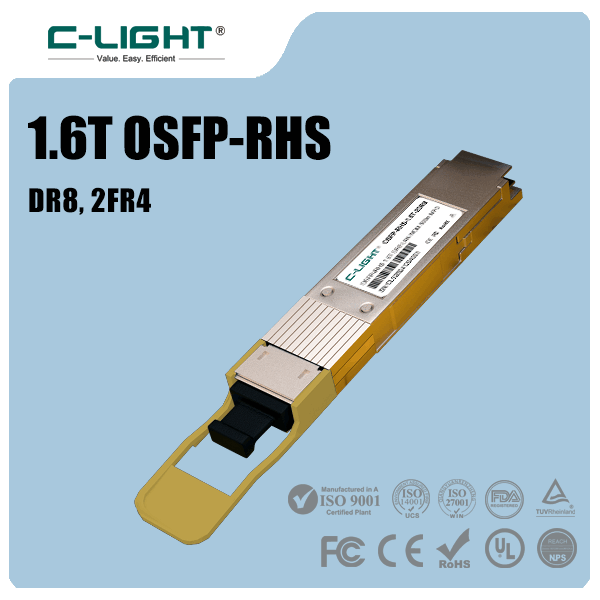
C-LIGHT offers a range of optical transceivers, including options for Ethernet, data center, and transport applications. For a specific switch deployment, qualification should be based on the full switch model, port, operating-system version, module part number, and link specification.
10. Optical Transceiver and Switch Compatibility Checklist
Complete these checks before approving an optical transceiver for a switch port:
Switch identification: Record the exact model, line card, port, hardware details, and operating-system version.
Official compatibility: Confirm that the module is supported for the precise device and software release.
Form factor and speed: Match the module family, port operating mode, lane configuration, and breakout requirements.
Optical interoperability: Verify that both endpoints support compatible optical standards and rates.
Fiber and wavelength: Match single-mode or multimode fiber, connector type, wavelength, reach, and polarity.
Optical budget: Validate transmitter power, receiver sensitivity, maximum input, route loss, and engineering margin.
FEC and configuration: Check the required FEC mode, configured speed, and any protocol-specific settings.
Host limitations: Check power, temperature, airflow, diagnostics, and software restrictions.
Operational verification: Confirm module recognition, link state, receive power, error counters, and stability.
Support qualification: Record the compatibility evidence and applicable warranty or support conditions.
11. Conclusion
Checking optical transceiver compatibility with a switch requires three separate confirmations: the switch must support the module, the optical interfaces at both ends must interoperate, and the installed fiber path must meet the applicable transmission requirements.
Start with the exact switch model, port, and software version, then consult the official compatibility matrix. Verify form factor, data rate, fiber type, wavelength, connector configuration, optical budget, FEC, power, temperature, and diagnostics before installation. After connecting the module, use the switch's documented commands to inspect its identity, optical measurements, port state, and error counters.
Physical fit alone is not proof of compatibility. A documented, model-specific qualification process reduces the risk of unsupported modules, failed links, optical errors, and avoidable troubleshooting in production networks.
Need an optical transceiver for a specific switch model?
Share the switch model, port speed, fiber type, transmission distance, and intended application to identify the relevant transceiver specifications.
Contact C-LIGHT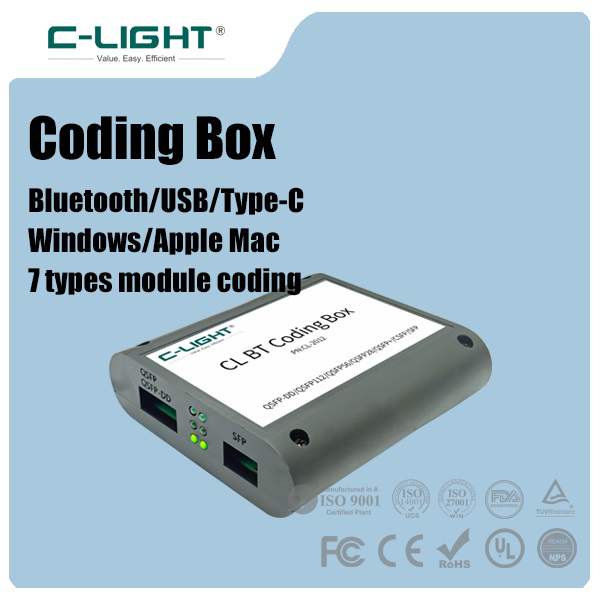 >
>

 >
>
 >
>
 >
>
 >
>
 >
>
 >
>
 >
>